
Berklee GEMS featuring Paula Cole ’90

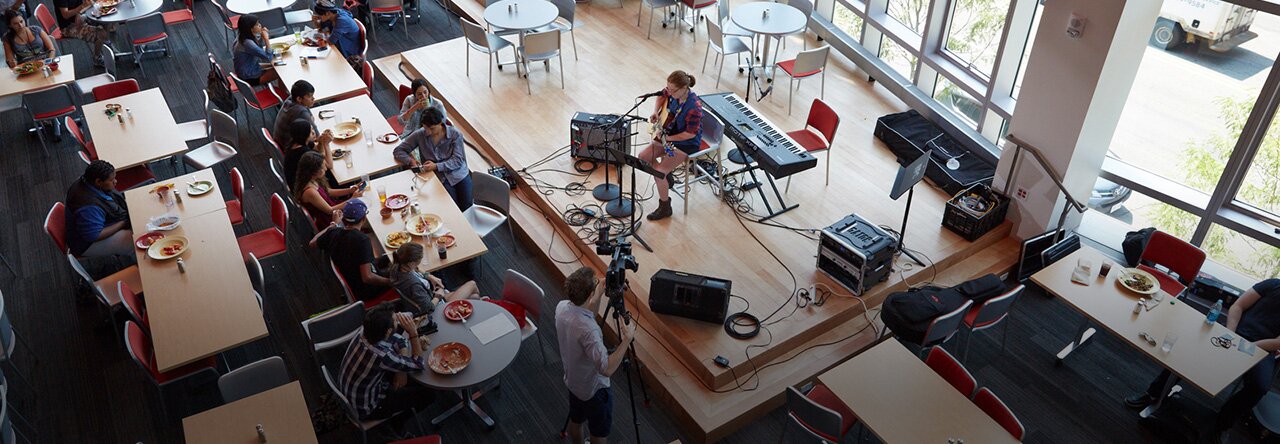
On Thursday, January 19th, Paula Cole came to Berklee to speak with students, staff, faculty and alumni. Women staff and faculty at Berklee are starting a new initiative called Berklee GEMS. This program helps to raise awareness and responsibility in the entertainment industry. One of the main goals is to bring back established alumni who are doing great things in the entertainment industry. The first luncheon featured Annie Clements, the bassist for Grammy-winning country band, Sugarland.

The luncheon started off with great conversations at all of the tables. The women who attended were able to share what challenges and what successes they have had as female working in the entertainment industry.

Paula Cole then spoke to the group about her career and the challenges and successes that she herself had. She spoke about wanting to produce her own album, and the challenges she faced, mostly because she was a female who wanted to be a producer. Cole was an empowering and inspiring presence to the entire room, reminding everyone to continue to listen to “that little voice inside you”.

Group shot with Paula Cole.

She also spoke about an issue that many females in the industry face, self-confidence. Being a male drive industry, many women struggle to find their place. She reminded the entire room to remain confident in yourself and what you have to offer.

The take away from the event was a great deal of knowledge as well as a feeling of uplifted empowerment.

For more information on Paula and her music, visit her website, http://paulacole.com/home.


Scott Beardsworth: Snowstorms and Car-chases – All Part of a Day’s Work

Berklee Blogs follows Scott Beardsworth, Music Business Major, as he begins his internship at PAID, Inc.- a celebrity services organization focused on VIP ticketing events, merch, and other direct-to-fan marketing initiatives. We’ll follow Scott as he navigates the waters of his first internship and teaches us his lessons learned on the job. Stay tuned!

I’m coming up on the two week mark with Paid Inc. Working full time, 40-50 hours a week will make things go by pretty quickly. The adjustment for me from a somewhat haphazard school schedule to a regular 9-6ish schedule took some, but not much getting used to. Prior to my working here, I worked part time (about 20-25 hours weekly) at Best Buy. That, plus my class schedule and work load, really felt like a 40 hour work week.

Over the weekend, Paid moved their central office from 236 Huntington St, Boston, to 40 Washington St in Westborough Massachusetts. The reasons for the move were to centralize the organization, (prior to this, our merchandising side was located in Worcester) and to help stop the growing pains and limitations of working in a space too small for the current operation, allowing for easy growth. From my apartment in Medford, It’s about a 50 minute drive with traffic. The move itself was quite hectic, as It perfectly coincided with the snowstorm we had this past saturday. Add to this that I believe my iPhone was stolen while out in Cambridge the night before; it goes without saying that my stress level was increasing with the snowfall. In an email to my Mom, I explained what I had to do to get to the new office on Saturday: Read More »

Andrea Pejrolo: iPad in the Classroom

Contemporary writing and production assistant chair Andrea Pejrolo led a session about using iPads in the classroom at this year’s Berklee Teachers on Teaching (BTOT) faculty development conference. In this post, he gives and overview of the presentation.

We just finished our BTOT session entitled “iPad in the Classroom: New Solutions for Curriculum Development and Delivery.” The panel that Jerry Smith and I put together featured (in addition to Jerry and me) a diverse group of excellent educators and professionals: Dr. Richard Boulanger (EPD), Suzanne Clark (Harmony), Loudon Stearns (CWP), Michael Sweet (Film Scoring), and Stephen Webber (MP&E).

The idea to have a dedicated group in charge of exploring the possibilities that this new tool brings to the classroom started two years ago, right after the launch of the iPad 1 from a visionary initiative that Jerry Smith started. Last year we presented at BTOT with a smaller group and this year we grew considerably, covering most of the areas of the college.

Read More »

Steven Kirby: Using the iPad for Gigging

Harmony Department assistant professor Steven Kirby presented a session about using the iPad for gigging at this year’s Berklee Teachers on Teaching faculty development conference. The following are the highlights from his presentation.  

I’m Steven Kirby, faculty in the Harmony Department here at Berklee. On Tuesday, Jan 17, 2012 , I and three other colleagues gave a presentation on the use of the iPad in performance applications as part of Berklee’s annual Berklee Teachers On Teaching conference (BTOT). The other contributors were Mike Carrera (manager of faculty technology services), David Harris (Harmony Department), and Michael Bierylo (Electronic Production and Design).

The session was only one hour long so we had to cover a lot in short period of time. We had about 30 participants. There were many questions and some lively discussions around the various topics and pros and cons of the apps.

Mike Carrera started things off with an overview of some of fantastic apps and hardware which can be used to record and manipulate digital audio. A list of his recommended apps are listed below. A highlight of his presentation was the app  called “Reactable”… a realtime performance application that is rapidly growing in popularity and which is based on an interactive performance environment developed and used by the unique and creative recording artist Bjork.

Mike covered:

Hardware

- Apple Camera Connection Kit (for USB device connection)

- Line 6 iRig/Apogee jam/Peavey Ampkit Link

- Line 6 MIDI Mobilizer

- Alesis IO Dock

Performance Software

- Garage Band

- MorphWiz/SampleWiz

- Amplitube/iRig

- Filtatron/Animoog

- djay

- Reactable

- ReBirth

- Setlist

- iKaossilator

Links

ipadmusicapps.ca/

promusicapps.com/category/ipad/

Notation Apps

The next segment was presented by me and designed to highlight specifically music notation  apps…i.e. apps that facilitate the reading and production of sheet music on an iPad.

I zeroed in on three apps: forScore and iGigbook for sheet music and mentioned another app, iRealb, which is for chord charts.  I also talked about the importance of a having a foot-controlled page turner and highlighted a few of those.

forScore

Pro: The most elegant, full featured score reading app and it works well  with foot operated page turners.

Con: No importable indexes available..you must make your own “live” table of contents and enter searchable metadata if you want that… a lot of work!

Site: forscoreapp.com/

YouTube demos:

youtube.com/watch?v=W2v_uZA4XnU

youtube.com/watch?NR=1&feature=endscreen&v=F8dPziELNhw

iGigboook 

Pro: Has a at least 30 indexes for all the most commonly owned fake books…importing them takes a little fiddling around but once they are in your app you can find any song, in any book, in time it takes to type the first few letters of the title. This means you can access one song out of thousands in about 3 seconds.

Con: Currently it has annoying limits on it’s functionality with page turners. Bluetooth foot pedals only work with this app when you are viewing song from the “Gig Set List Viewer.” Also it will only turn pages forward (though there is a sometimes useful work-around for this if you set up repeats / DCs /DSs etc with the app functions that allow for that.

site: igigbook.com/

forum: forum.igigbook.com/

video review: youtube.com/watch?v=w4jmELJD5z0&feature=related

iRealb (only a chord reader but has many other useful functions too)

YouTube demos:

youtube.com/watch?v=YWBQ3u84TVc

youtube.com/watch?v=w1Sa77z4pbw&feature=related

Some people own all three apps and use then for different situations.

  • Use forScore for your own music library (original charts etc) which you bookmark yourself;
  • Use iGigbook for fake books;
  • Use iRealb for practice/ performance related teaching and in gig situations where you don’t need to read the melody

Hands-Free Page Turners

Bluetooth: (no wires!)

Airturn BT105: (approx $130) (works well..has the longest lasting battery but be careful to charge it before 1st use)

site: airturn.com/

review: youtube.com/watch?v=80OVgx5Q7T4&feature=related

PageFlip Cicada: (about $80) (most versatile, works great)

site: pageflip.com/

reviews:

youtube.com/watch?v=1jOv6xC8YYw&feature=related

  youtube.com/watch?v=g9oD6uP5_3I

Hardwired 

Footime (about $40)   

bilila.com/pagescore_turner


The third segment, presented by professor Michael Bierylo, concentrated on apps for electronic music performance.

iPad Apps for Electronic Music Performance

Michael Bierylo: There are three main categories of iPad apps used in performing electronic music.

1. Controllers: Apps that allow the performer to control software applications running on a host computer.

2. Sequencers: Apps that combine a sound engine with some sort of step and pattern-based sequencing capabilities.

3. Synthesizers: Electronic instruments that either try to emulate a keyboard synthesizer or use the iPad interface to provide some unique means of control.

Some suggested apps:

App Developer Cost Notes
Touch OSC Hexler 4.99 Toolkit for building controllers.
touchAble AppBC 24.99 Dedicated controller for Ableton Live
iElectribe Korg 9.99 Software emulation of a classic Korg beatbox.
BeatMaker2 INTUA 19.99 Workstation beatbox developed for the iPad
TNR-i Yamaha 19.99 iPad version of the Yamaha Tenori-On
iMS-20 Korg 9.99 Software emulation of a classic Korg analog synthesizer
SynthX Way Out Ware 9.99 Analog synth with touchscreen performance interface.
Animoog Moog Music 9.99 Analog synth with animated visual sound control.
Reactable Reactable Systems 9.99 Unique construction kit for building electronic instruments. 

Finally we included some apps suggested by David Harris, who also uses the iPad in performance frequently.

Useful soft synth/sample player apps for the iPad:

GarageBand: very useful a. Piano, Rhodes, Wurlitzter, B3 with working drawbars, Leslie fast/slow, percussion, chorus, and distortion.  Able to use loops made on computer.

Animoog- new synthesis engine from Moog with very cool sounds. Able to use touch screen to change modulation live.  Presets or make your own.

Nlog- retro analogue synth, with filter control, pitch and modulation wheels.  Presets with some programming

Pocket organ- dedicated B3 emulation with drawbars, percussion, leslie fast/slow, key click, vibrato and chorus, reverb and overdrive

Other  useful music programs for iPad/iPhone:

Amazing Slowdowner: Same as Mac program, somewhat less controls but excellent for slowing down sources and keep pitch to transcribe

V Control: virtual faders and controls for Protools, Logic etc. Great for recording yourself or adjusting mix from other places in the room

iRealbook: no melodies, but chord lead sheets for hundreds of tunes.  Will play a reasonable accompaniment in jazz, funk, rock, bossa. Great for students to practice with. Edit changes or write your own—very easy.

RTA: 1/3 octave realtime graph of db spl over audible frequency in free version (lite).  Full version adds mic calibration, pinknoise generator, external mic support, decay options.  Part of larger package (AudioTools) with loads of proaudio necessities.

Metron: programmable metronome

Tuner: shows either note name ( and how much flat or sharp) or graph showing all frequencies( great for displaying overtones to students)

Shazam: Identifies tunes playing on radio and directs you to itunes or Amazon if you want to buy it.

Scott Beardsworth: From Last Minute to Top of the Pack

Berklee Blogs follows Scott Beardsworth, Music Business Major, as he begins his internship at PAID, Inc.- a celebrity services organization focused on VIP ticketing events, merch, and other direct-to-fan marketing initiatives. We’ll follow Scott as he navigates the waters of his first internship and teaches us his lessons learned on the job. Stay tuned!   

I started my internship at PAID Inc. on Wednesday (1/4). Paid (Professional Alliance of Innovation and Development) is a celebrity services organization with an emphasis on VIP ticketing events, merchandise fulfillment, website and content management, video production, and direct-to-fan marketing initiatives.

My role here is Executive Assistant to the Vice President of Artist Relations, Dave Lory. As stated on my first day “If you keep me [Dave] organized, you will have a job.” That said, my day to day responsibilities include: Scheduling meetings, answering Dave’s phone while unavailable, keeping Dave on track and reminded of key events (i.e.- meetings, scheduling travel arrangements on Dave’s behalf, attending meetings and taking notes for distribution, and really, whatever Dave needs to have done).

I’m starting at Paid at a unique time, since there have been many internal readjustments including new mangement, and positions, all orchestrated out of the need for more manpower for the bigger clients we have, and those we hope to work with in the coming months. Our client base is quite diverse, with a large number of very successful brands, be they musicians, non-profit organizations, or anyone else looking for our services. For example, Aerosmith, Slash, Alice Copper, Slayer, and a host of other acts at the top of their game. Being thrown into an environment where these kind of contacts are being made is a huge step forward for me from my Berklee schooling career. Read More »